How it works
One template. One handoff. Done.
Whoever knows what the document should say builds it in the browser. Publishing locks the data model, and that is the whole handoff — a developer or an AI agent wires it up once. Nobody waits on anybody, and nobody writes layout code.
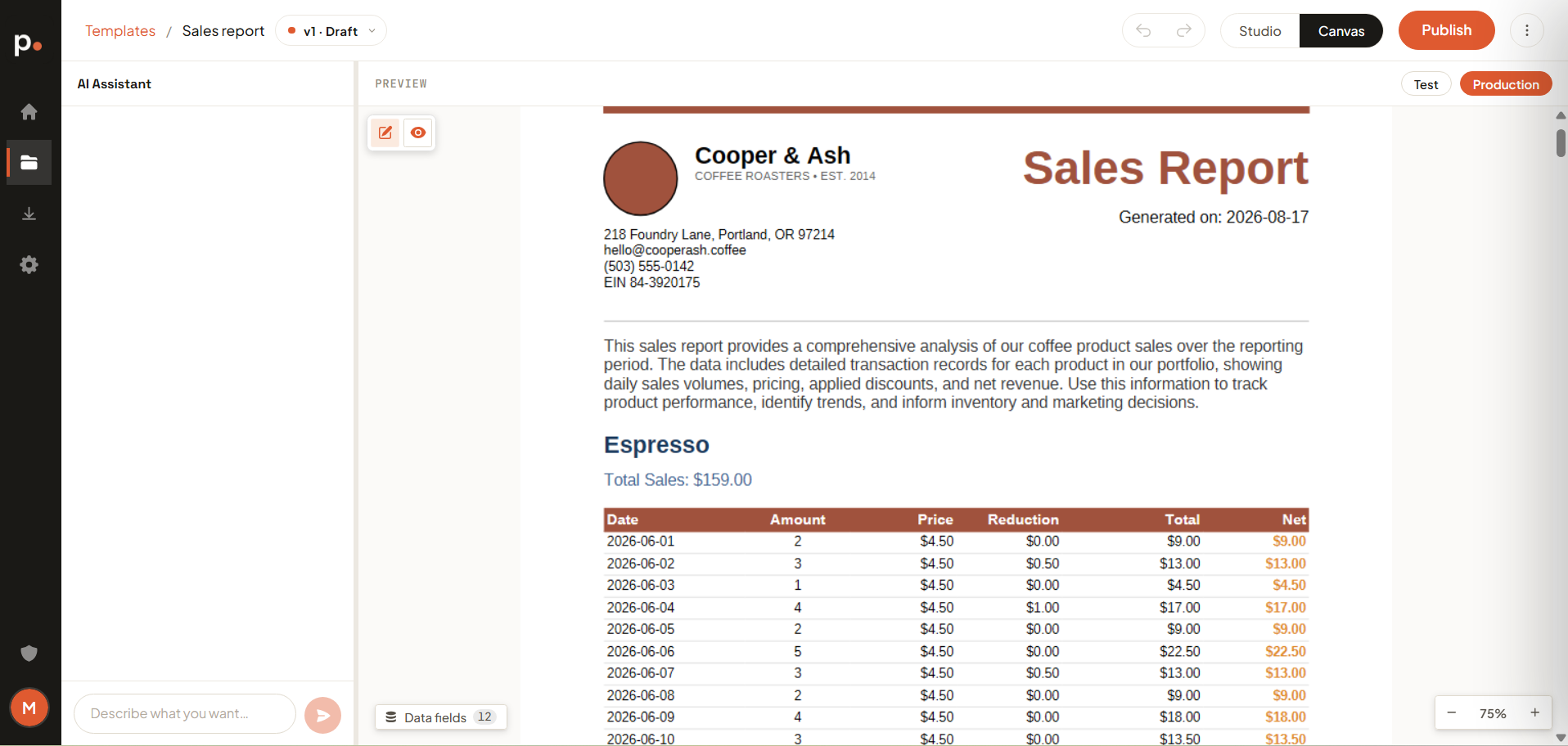
You create the template, edit it in the editor, and publish it — that locks its data model. Once it is locked, you hand it to a developer or your favourite AI agent: they map the fields onto the data your app already holds and call render once. Publish a new version later and this code stays exactly the same.
C#
Bring whatever you already have
Four ways to a first templateUpload the document you send today. It comes back as a template.
"An invoice with our logo, line items and a total."
Photograph the sketch from the meeting. Start there.
Template of an invoice, ticket, report, letter, …
Edit the template, watch the PDF.
Pagr pairs an AI assistant with a real-time PDF preview. Describe a change and the document updates instantly, rendered against sample data — fonts, page breaks, tables and all. So you always have a clear view of what the final version will look like.
See it on your own document.
Free to start. No credit card. Build a template and render your first PDF in minutes.